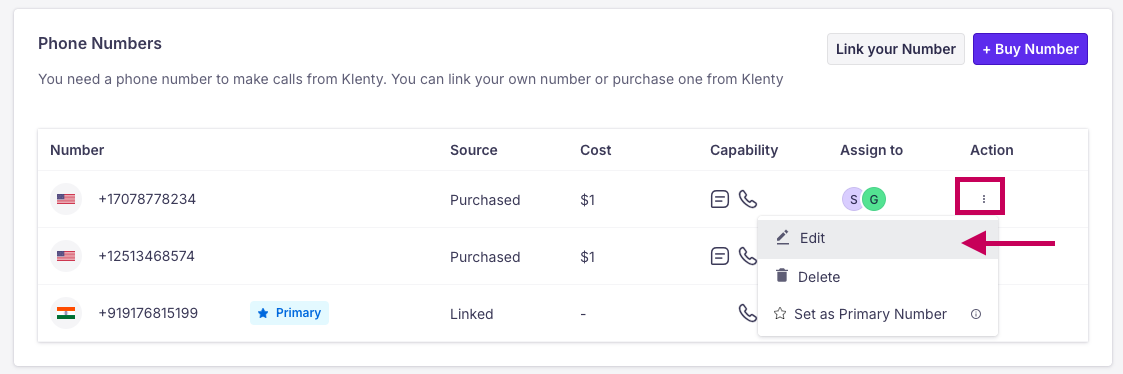
You need at least one phone number to call from Klenty. You can buy a number through Klenty or link a number you already own, then decide which teammates can use it.
Settings → Calls → Manage Phone Numbers
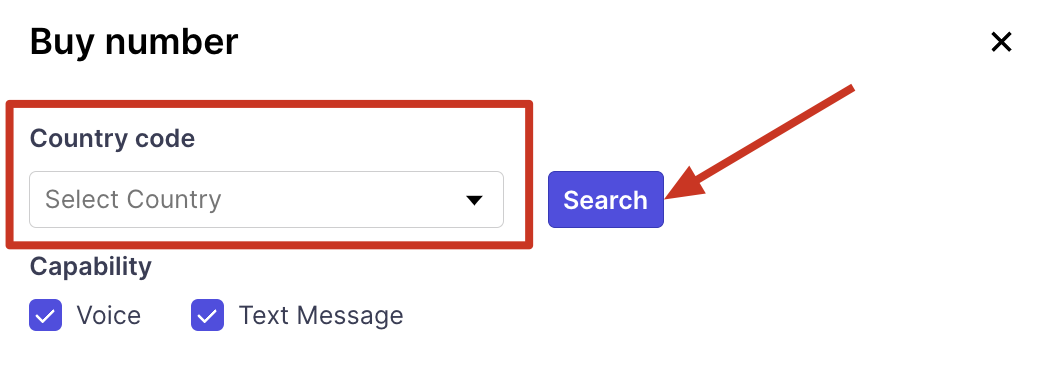
Click + Add Number and stay on the Buy Number tab.
Under Find a local number, choose the Capability: Voice, Text Message or both. Text Message is greyed out for countries that don't support it.
Pick the country. Then search by area code, city or state (for example 415, Austin, TX). For non-US countries, search by city or prefix.
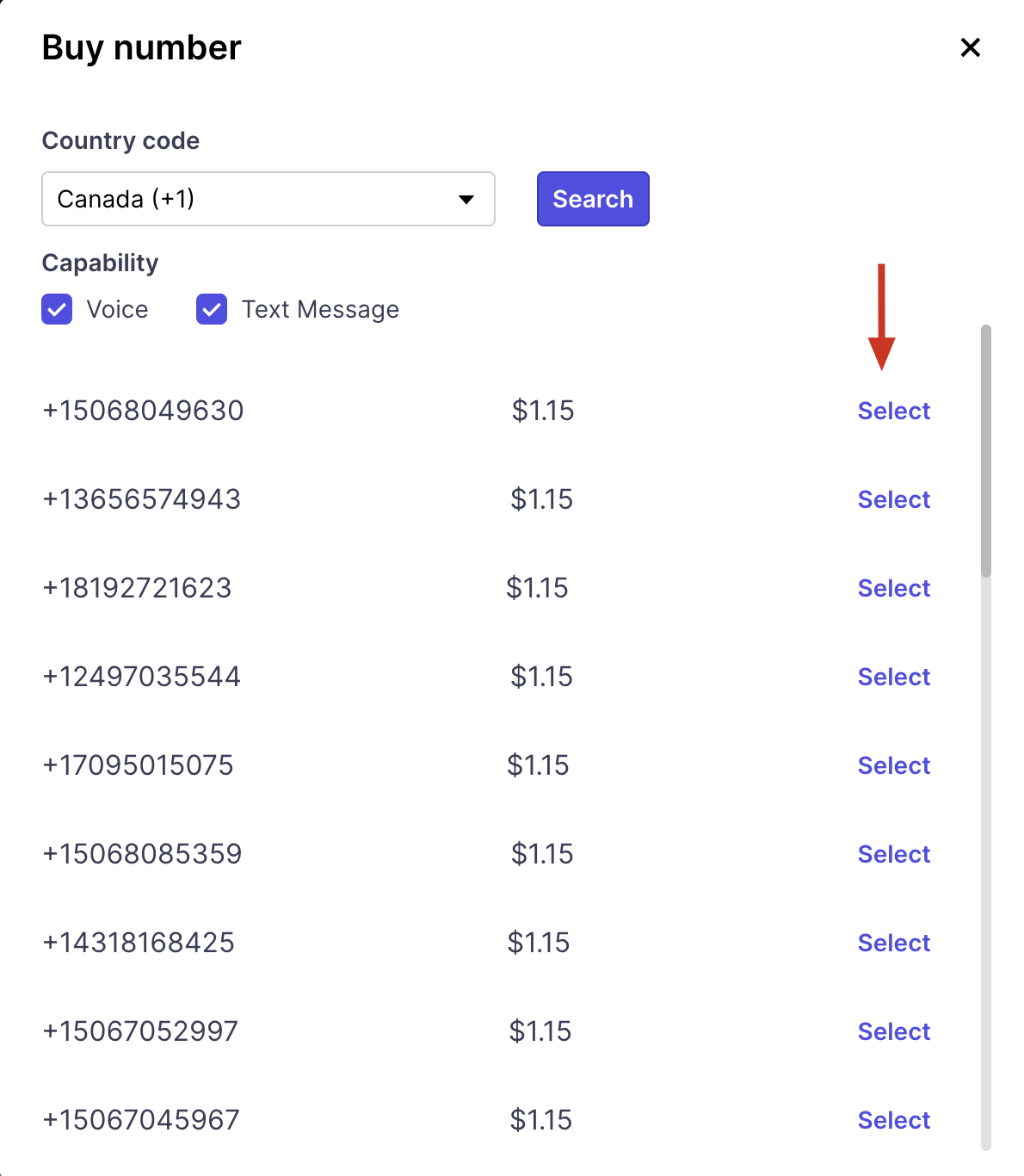
Choose a number from the list. The monthly price is shown, plus a processing fee.
Choose who gets it:
Private Number: assigned only to you.
Shared Number: assigned to the team members you pick.
Confirm with Buy number.
Click + Add Number, then open Link your Number.
Choose the Country code, enter Your number, and click Verify.
Answer the automated verification call. Either type in the code Klenty shows on screen, or enter the 4-digit code you receive. Keep the window open until verification finishes.
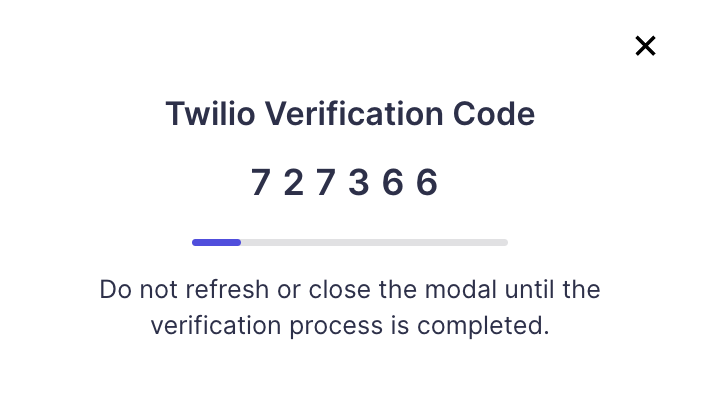
Once verified, the number is added to your account.
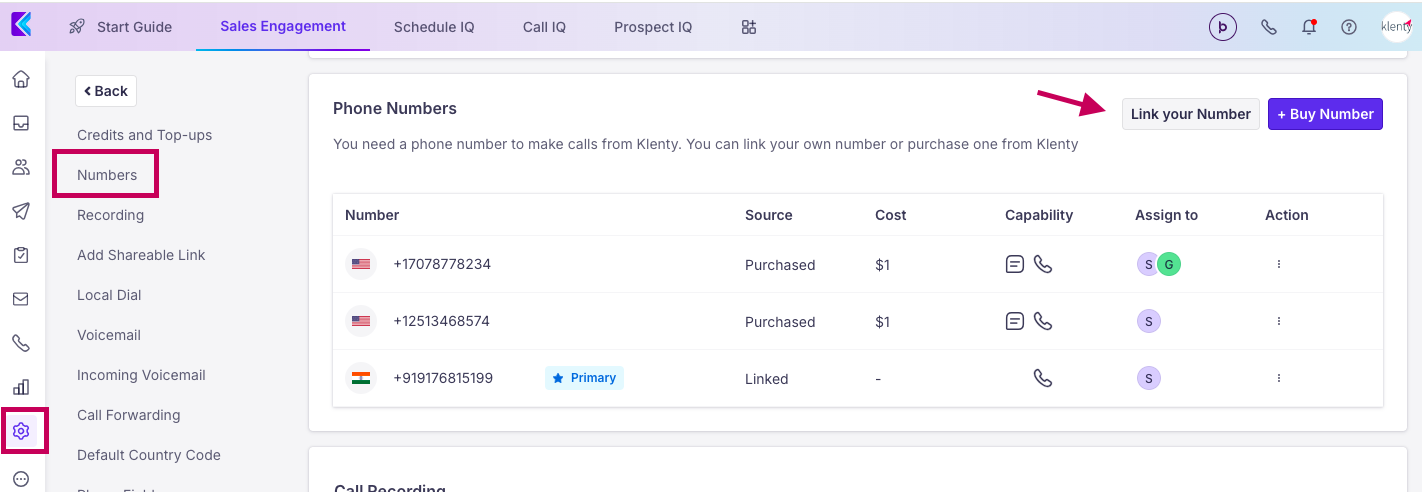
Column | What it shows |
Number | The number, with a star on your primary number |
Calls Attempted and Connect Rates | Connect rate over the last 7 days. You can sort by it. |
Status | Active, Paused or Warmup |
Source | Purchased or Linked |
Capability | Voice and/or SMS |
Daily Limit | Only on accounts with daily call limits |
Routing Type | Only on plans with call routing |
Assign to | Who can call from the number |
Action | Edit, Delete, and Set as Primary Number or Remove as Primary Number |
Edit changes which team members the number is assigned to. Observers can't be assigned. An admin can move a number from one rep to another here, so you don't need to contact support.
Set as Primary Number makes the number your default from number for outgoing calls. You can't make a paused number primary.
Delete removes the number for all users, and it can no longer be used to place calls.
Owners and admins can change Status:
Paused takes the number out of use.
Warmup limits it to 30 calls a day by default. Admins can change this with Set Limit or Edit Limit, anywhere from 1 to 10,000.
Monthly rental. On a paid plan with a subscription, rental is billed to your subscription's payment method. Otherwise it's taken from your call credits. See Understanding Call Credit Usage.
Free US numbers. Some plans include free US numbers. The Buy Number tab tells you how many you have left.
Regular users need these admin permissions: Link and buy numbers, Assign numbers to users and Delete numbers.
Primary numbers can't be paused. Make another number primary first.
Numbers paused for a billing failure read This number was paused due to a billing failure. Resolve billing to reactivate.
Numbers provided by some partner telephony providers can't be edited or deleted from Klenty.
Setup guide. Admins see a short guide above the table. It suggests about 3 numbers per user, or 2 per region in the US, and prompts you to turn on auto-rotation or local dial.
Texting. To send text messages you need a number with SMS capability. See Text messaging.
Incoming calls. Where calls to a bought or linked number land is explained in How do incoming calls work?