
Email bounces are inevitable when cold emailing. But, first.
What are bounces?
If your email did not go through to your intended recipient, an email server would generate a message back to you indicating the failure.
Bounces can indicate temporary failure - identified as soft bounces, or permanent - identified as hard bounces.
What causes emails to bounce?
Some common reasons for bounces are:
The email address is incorrect - the most common reason for failure. It classifies as a hard bounce.
There was a temporary failure at the email servers in sending the email - classified as a soft bounce.
The recipient's email system identified your email as spam - classified as a hard bounce.
Your email provider has blocked your emails.
Identifying the reason for failure
Open the bounce message, and you will most likely see the reason for failure. While most bounce messages will start by saying the email failed to send, there will be a more specific reason later in the email.
Some common bounce messages:
User not found/user does not exist/mailbox unavailable
Access denied
The recipient server did not accept the message
Your message has been blocked
Message rejected as spam
How Klenty handles bounces
If Klenty detects a bounce message for a prospect you have emailed, the Prospect is marked as bounced and stopped from receiving any more emails. This mechanism prevents multiple bounces for the same Prospect, which can cause deliverability issues.
Can you email a bounced prospect or add them to a Cadence?
Yes, you can email a bounced prospect again. We recommend that you read the bounce message to understand why the failure happened to prevent the email from bouncing again.
Editing the email address for a bounced prospect -
1. Search for the Prospect in your Prospects dashboard in Klenty.
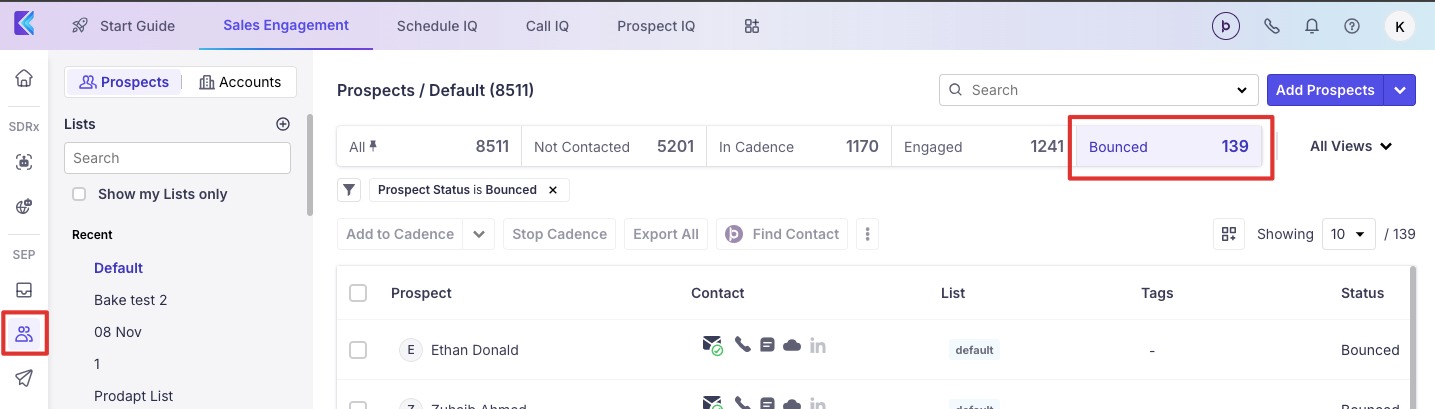
2. Click on the Prospect's name to open Prospect Details. Replace the email id with the updated address and click on Save.
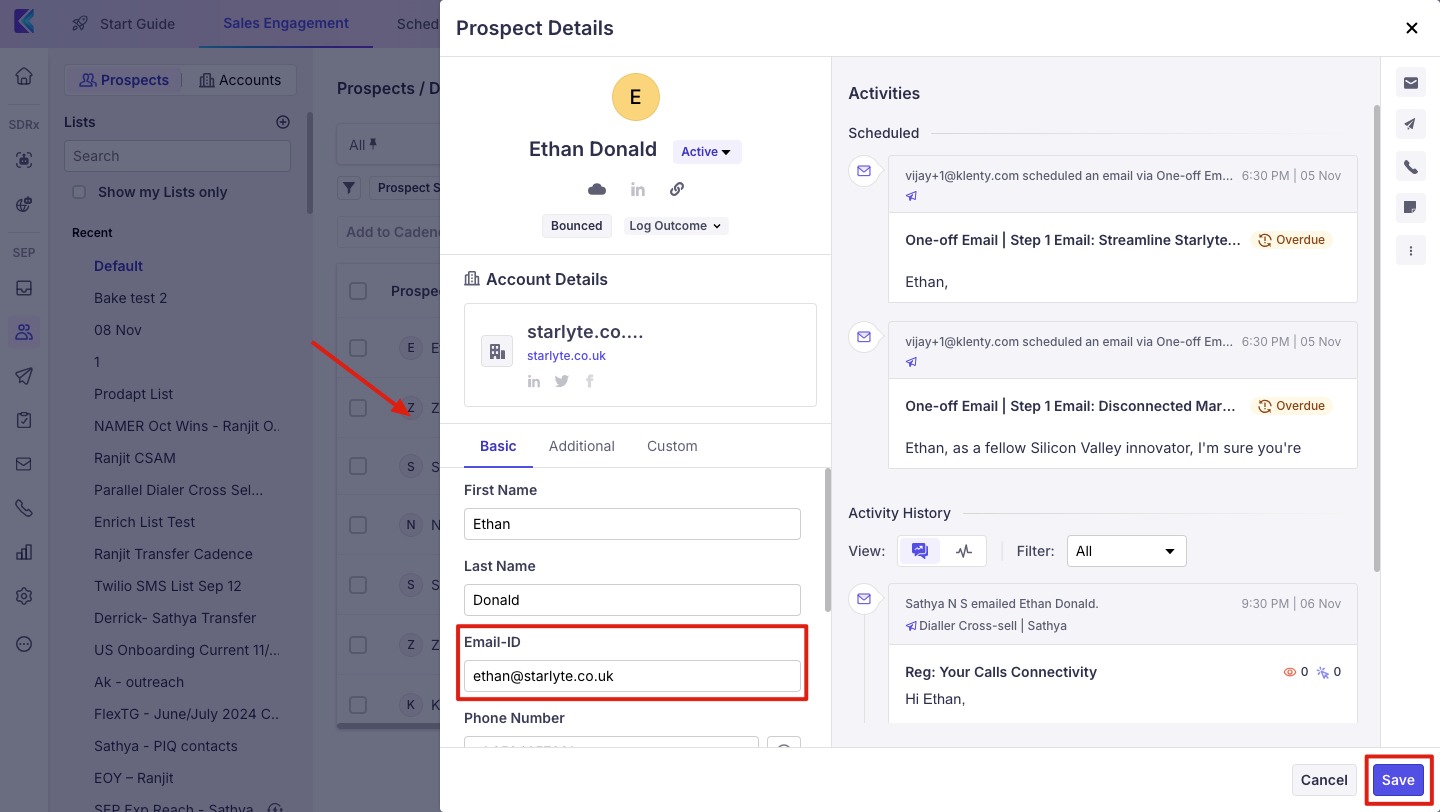
If the Cadence was stopped for the Prospect when the email bounced, you could add them to the Cadence again, which will start them from the first step of the Cadence.