As your cadences progress, you will have prospects with various levels of engagement - prospects that open your emails, prospects that clicked a link in the emails, etc.
Now, you can create different automated workflows to filter these prospects based on their engagement and execute a certain action.
First, to set this feature up:
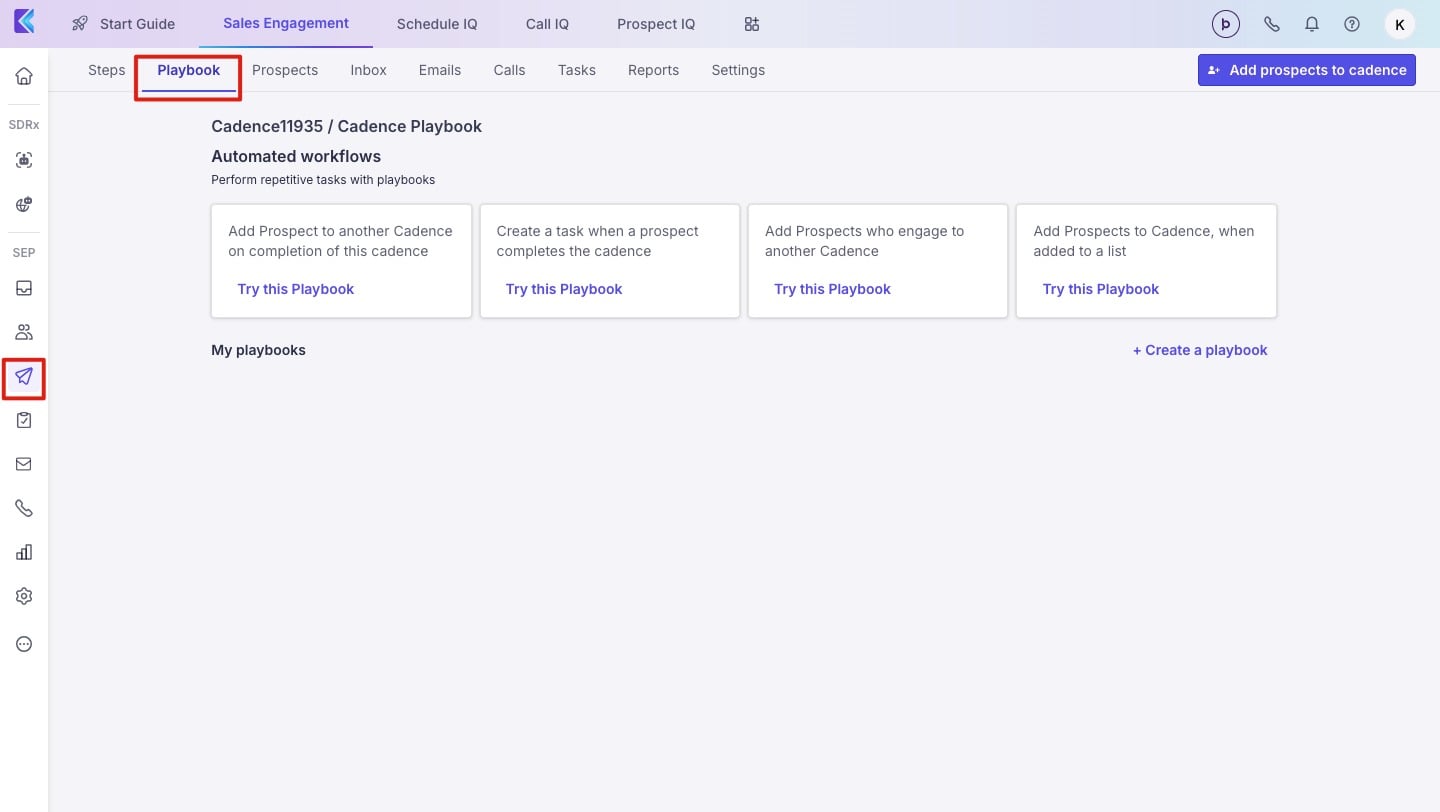
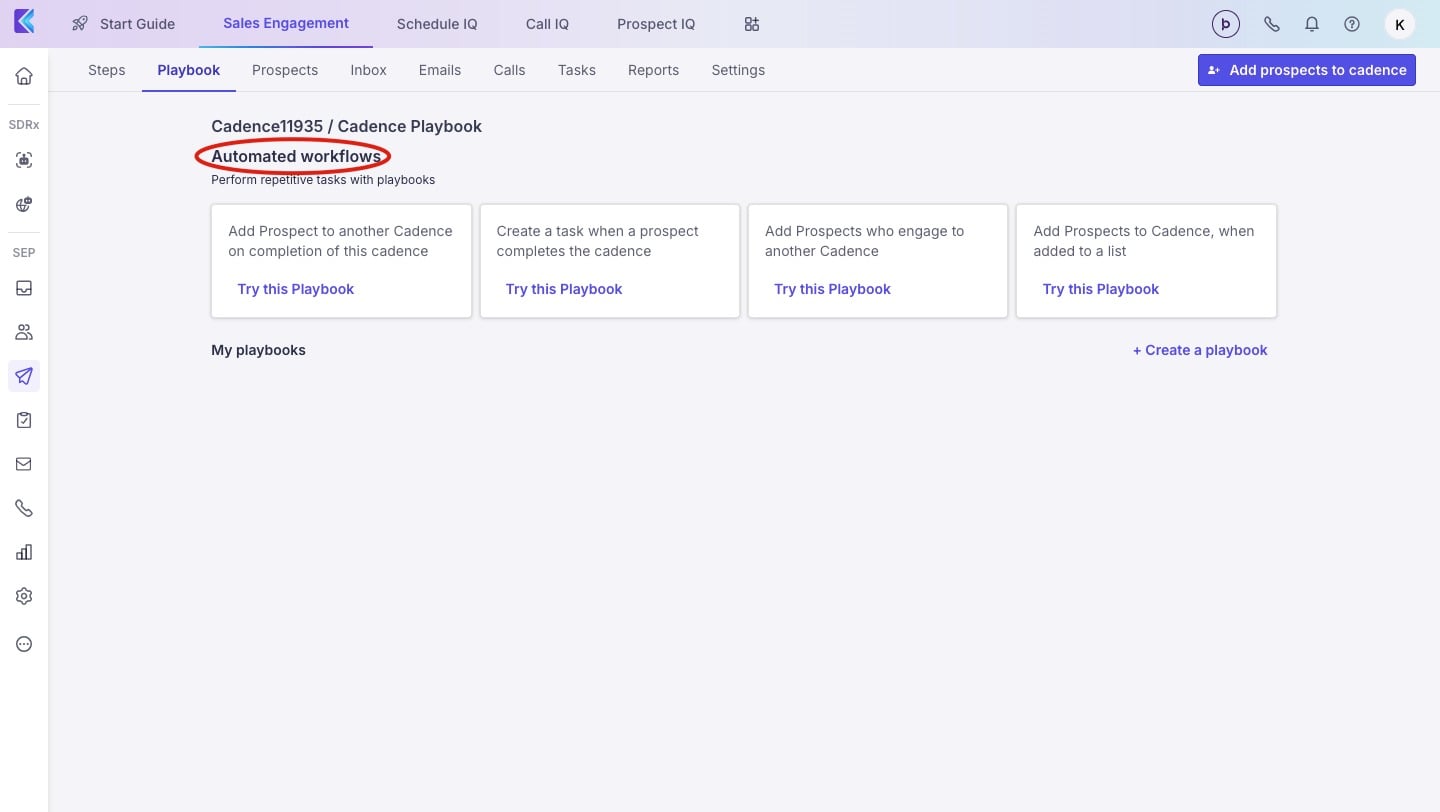
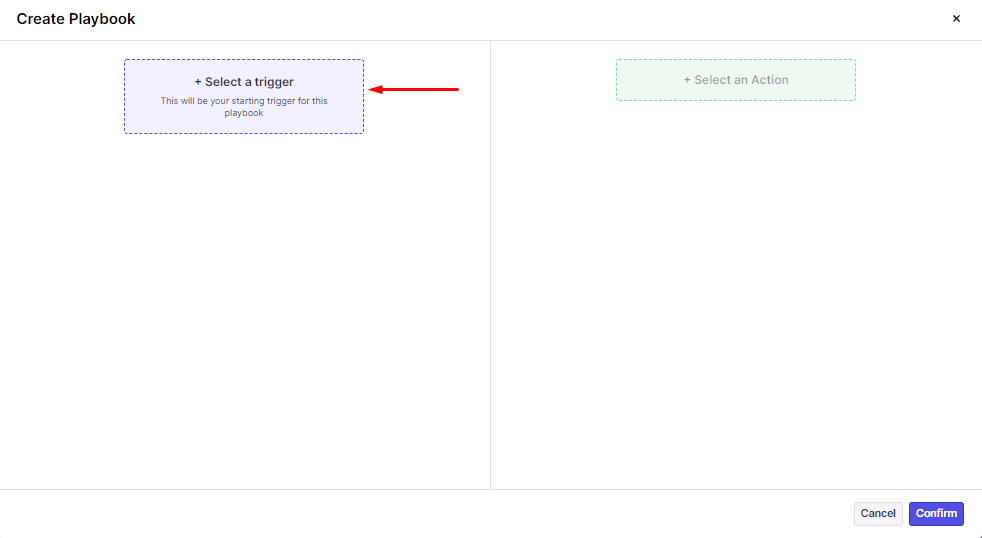
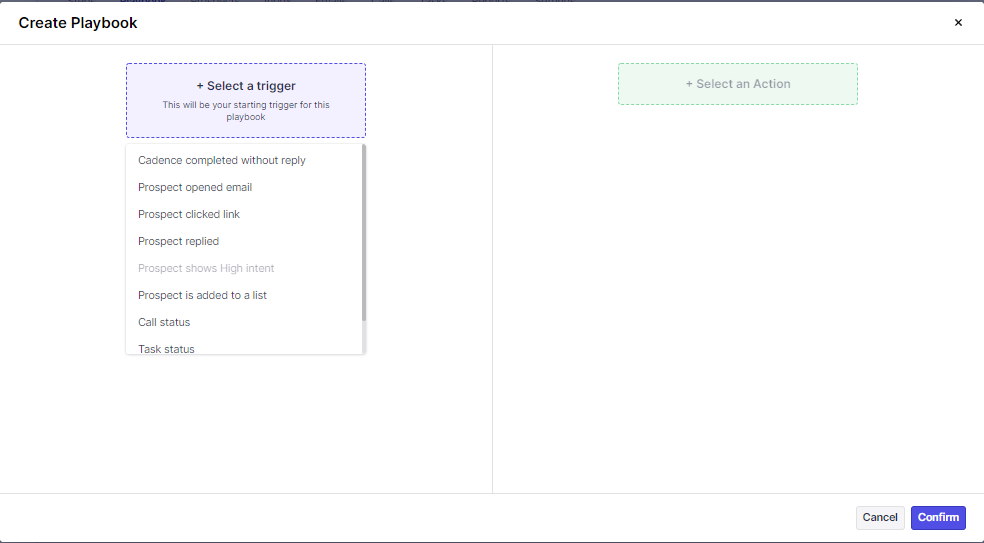
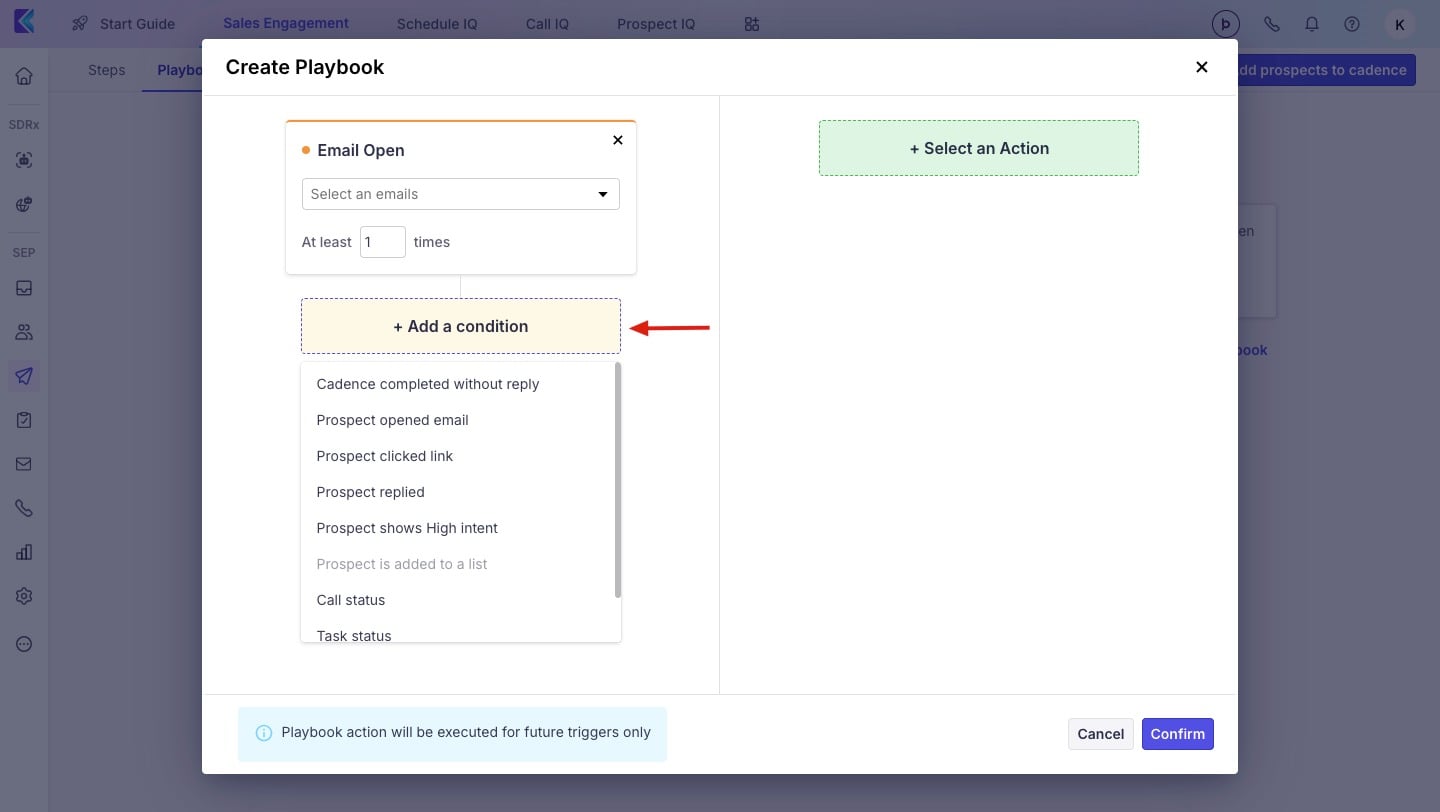
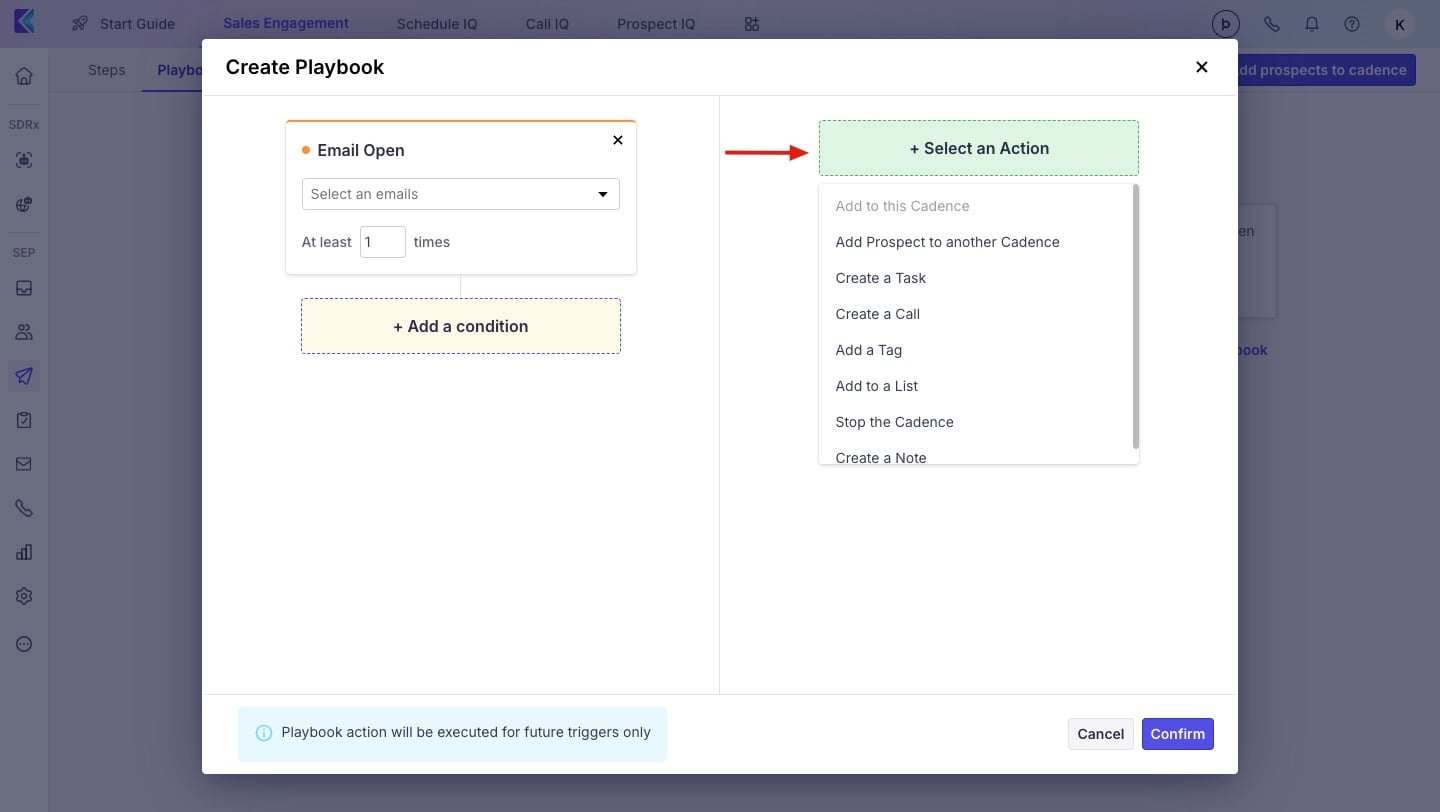
Here are a few example workflows that'll help you chain your cadences when a prospect meets a specified criterion.
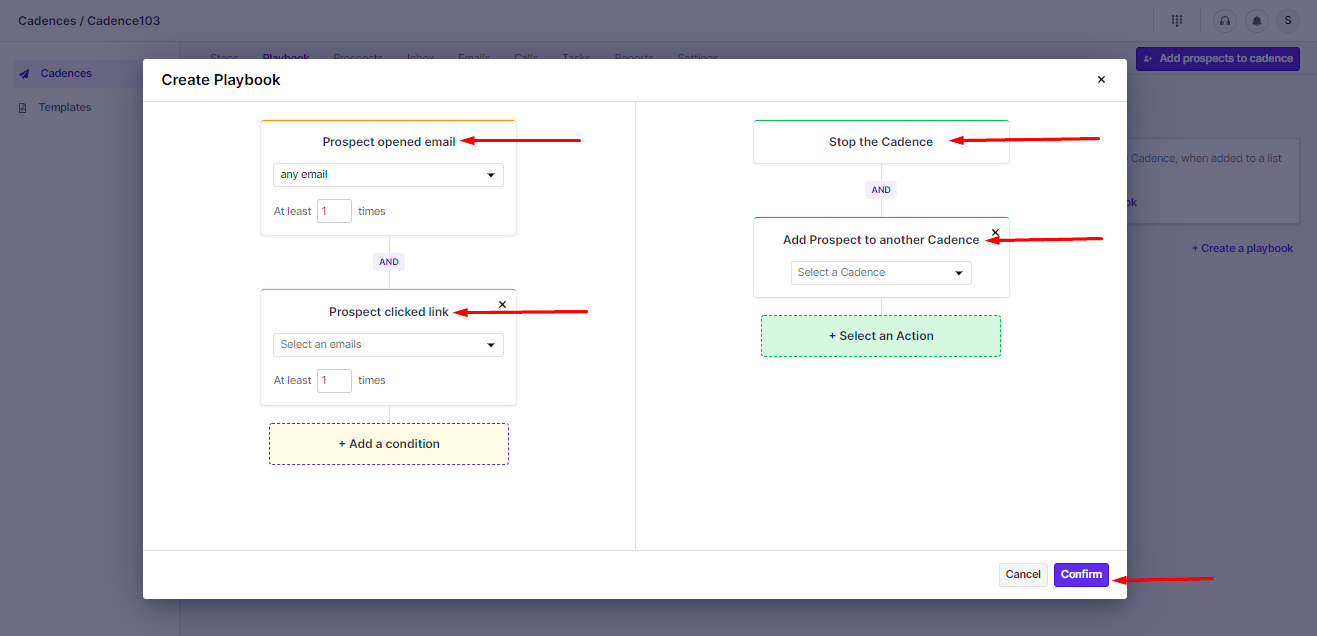
For example, if a prospect has opened multiple times or clicked on a link, automatically move them to another cadence. Now, this new cadence can be tailor-made for prospects that are engaging with emails in the previous cadence.
That way, you can send more personalized follow-ups to prospects that are engaging with your emails.
Stop the existing cadence.
Move them to a new cadence.
You can also set a delay as to when you'd like to send emails from the new cadence.
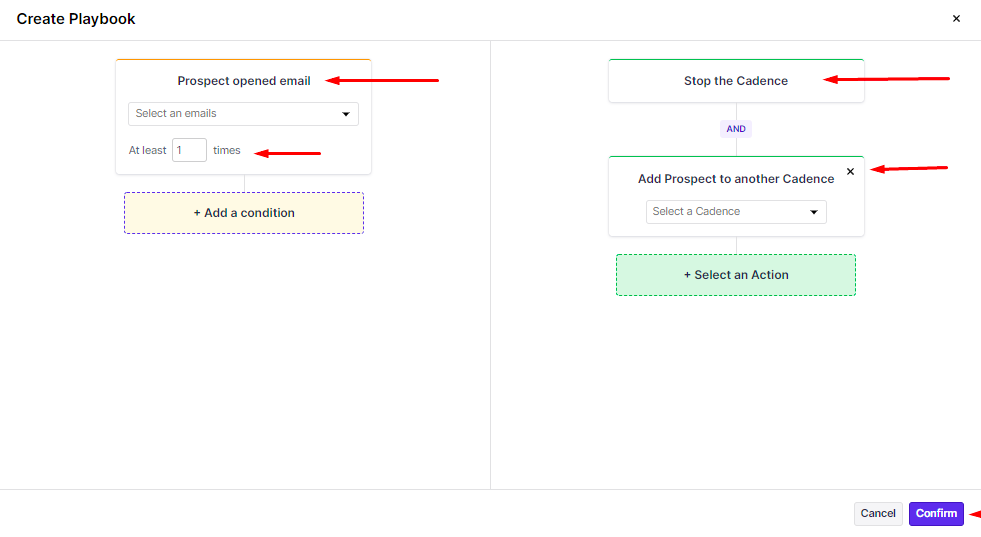
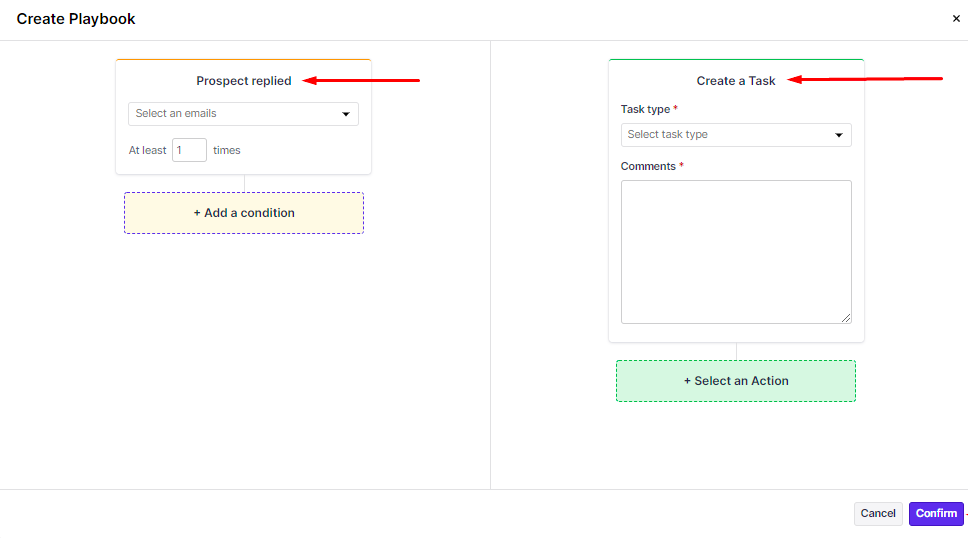
You can set up more complex workflows by adding multiple conditions to filter prospects and move them to a new cadence (or any other action).
Unless the conditions applied are satisfied, the corresponding actions will not be executed.
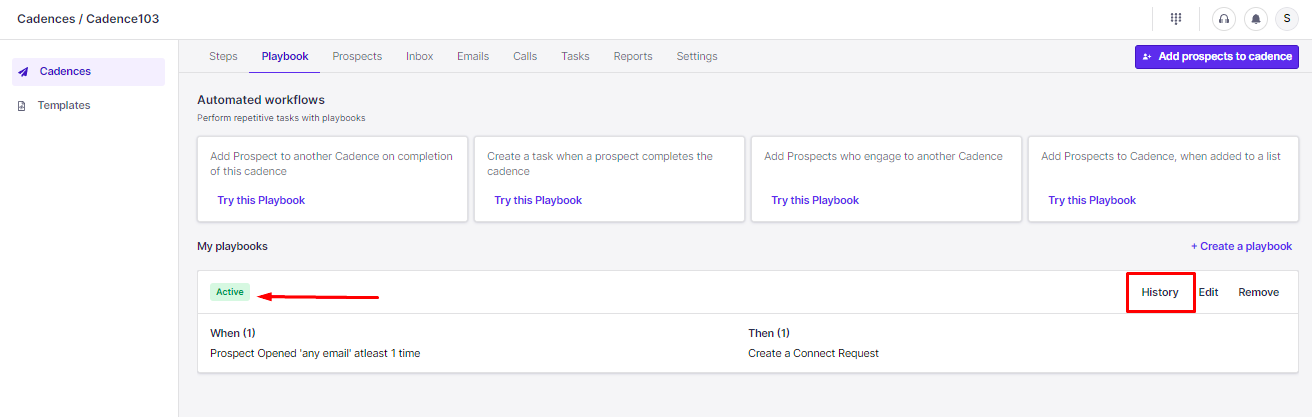
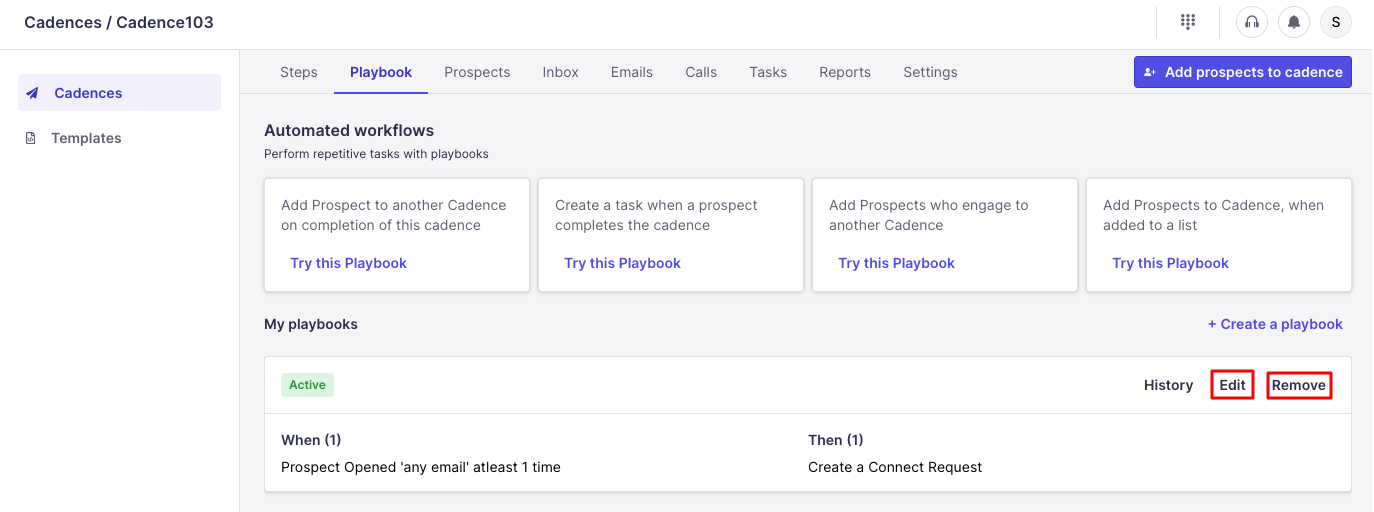
Also, point to be noted once you Edit the setup workflow you will lose the History of logs that were there before the changes were made.
