Where to find the plugin?
You can find it in the Chrome Webstore here
How to use it?
(Note: make sure that the Pipedrive account which you are logged into is connected to your Klenty account)
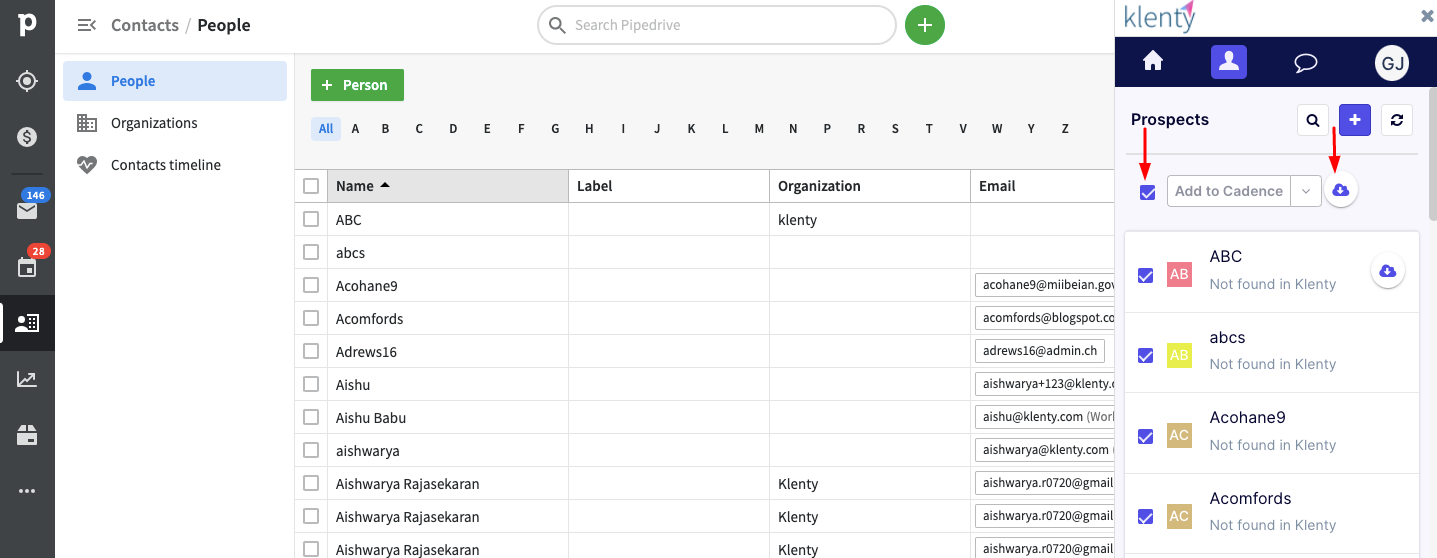
Head to the Contacts section within your Pipedrive account > navigate to the People subsection
Click on the chrome extension and log in with your Klenty account’s credentials
In the Chrome plugin > under the prospects tab > you will find a list of Pipedrive People
What are actions that are possible with this plugin?
Directly push contacts to Klenty
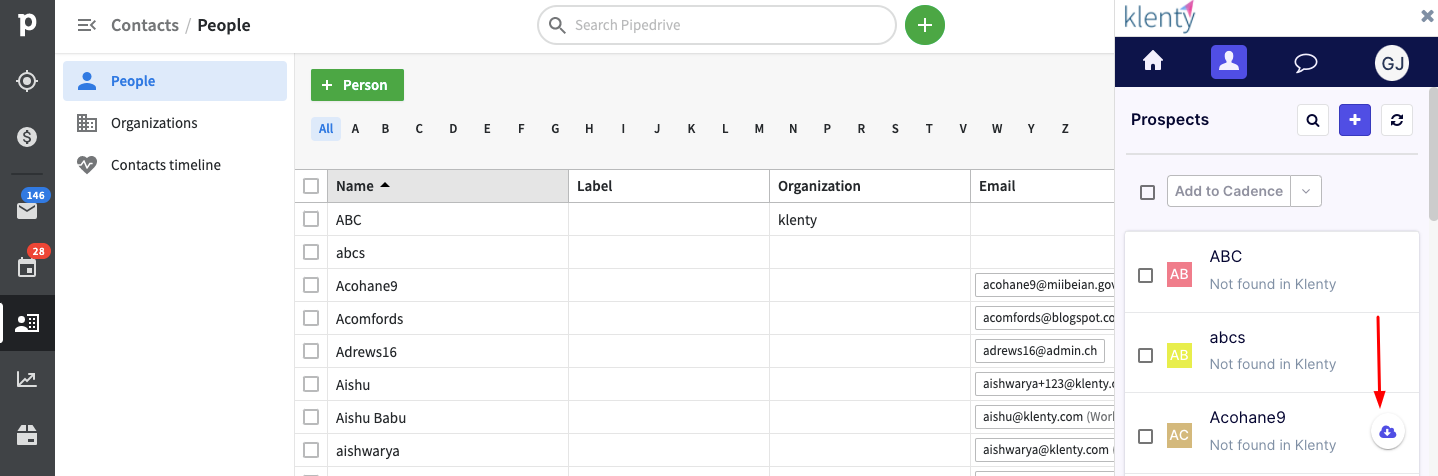
To push all the prospects to Klenty Bulk select > push contacts to Klenty