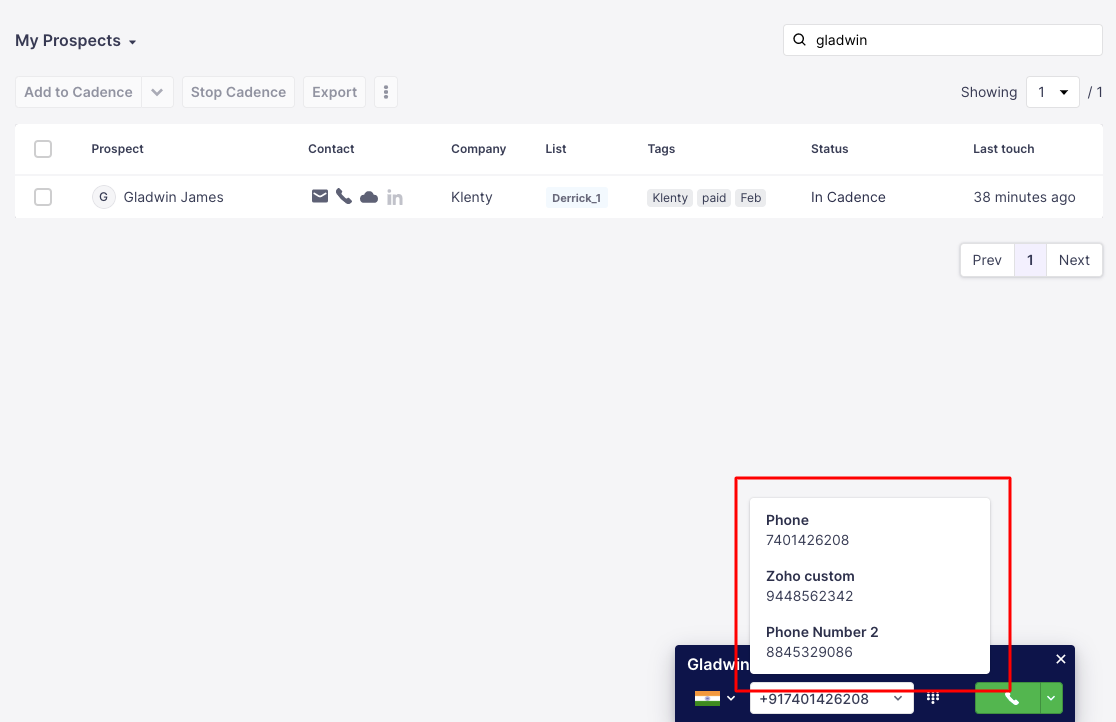
Here’s how you can add multiple contact numbers for your prospects in Klenty:
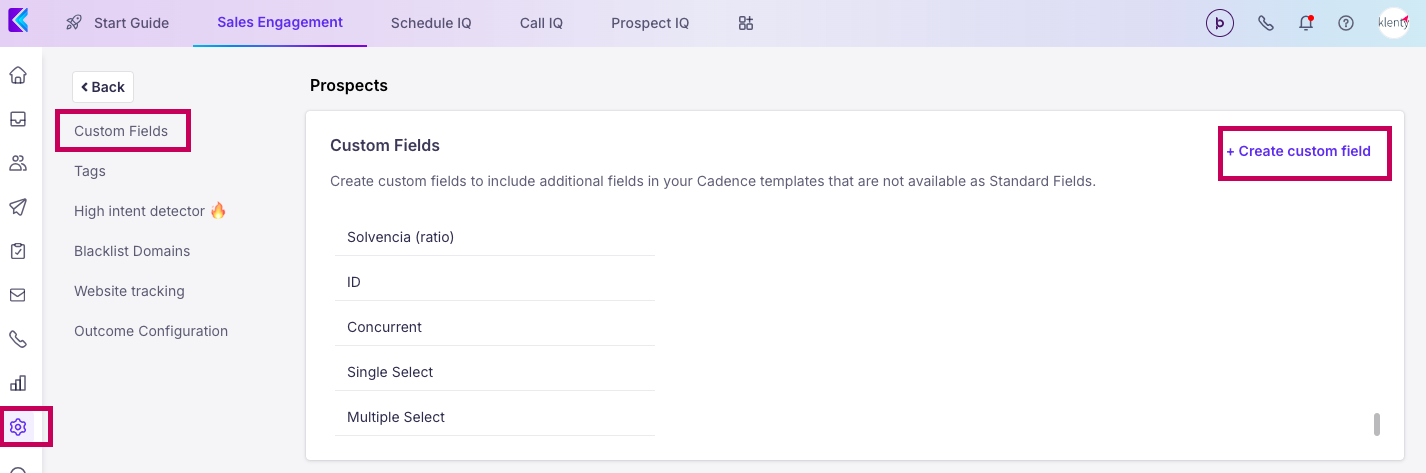
Create Custom Fields for the additional numbers that you will import. You can create custom fields from Settings > Prospects > Custom fields > Create new custom filed
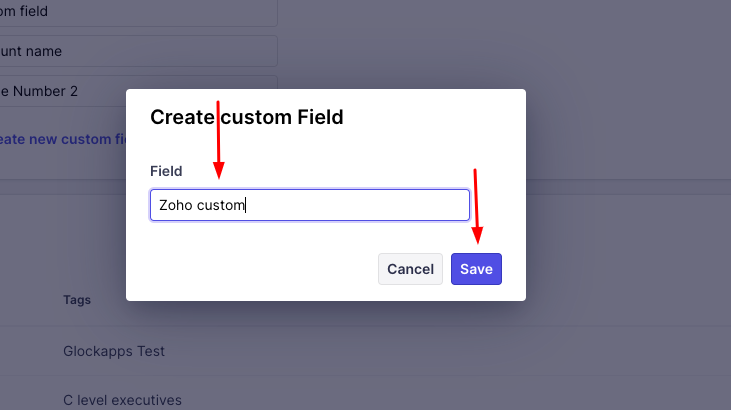
Once you choose the option to create a new custom field, there will be a new popup using which you can give your desired custom field names and hit the save button
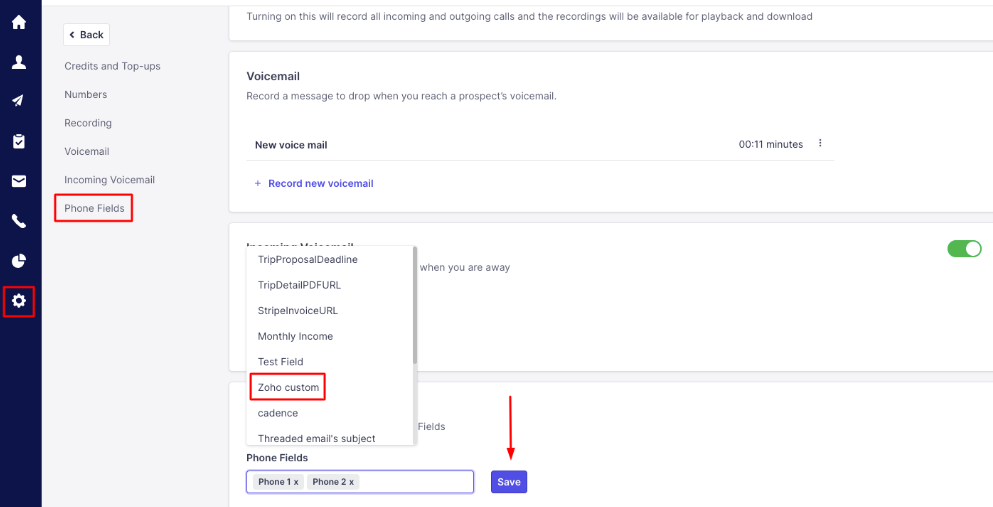
Add the custom fields as phone fields, so that the Dialer identifies the additional numbers. Head to Settings > Calls > Phone fields > Add Custom Fields > Save
Once done, you can import prospects with multiple numbers > Map the numbers to custom phone fields > Select any of the numbers for that prospect from the Dialer > Call