Important factor of performing account based prospecting is to customize your emails with data related to each account. This can be easily achieved using Klenty's Account Fields.
Creating an Account Field
To create an account custom field, please navigate to the Settings Page --> Accounts settings --> Create Account Custom Fields.

Where can I find this created Account Fields?
You can find these fields in the field mapping section while importing the prospects. You get to choose if the imported data should be added to the prospect field or account field
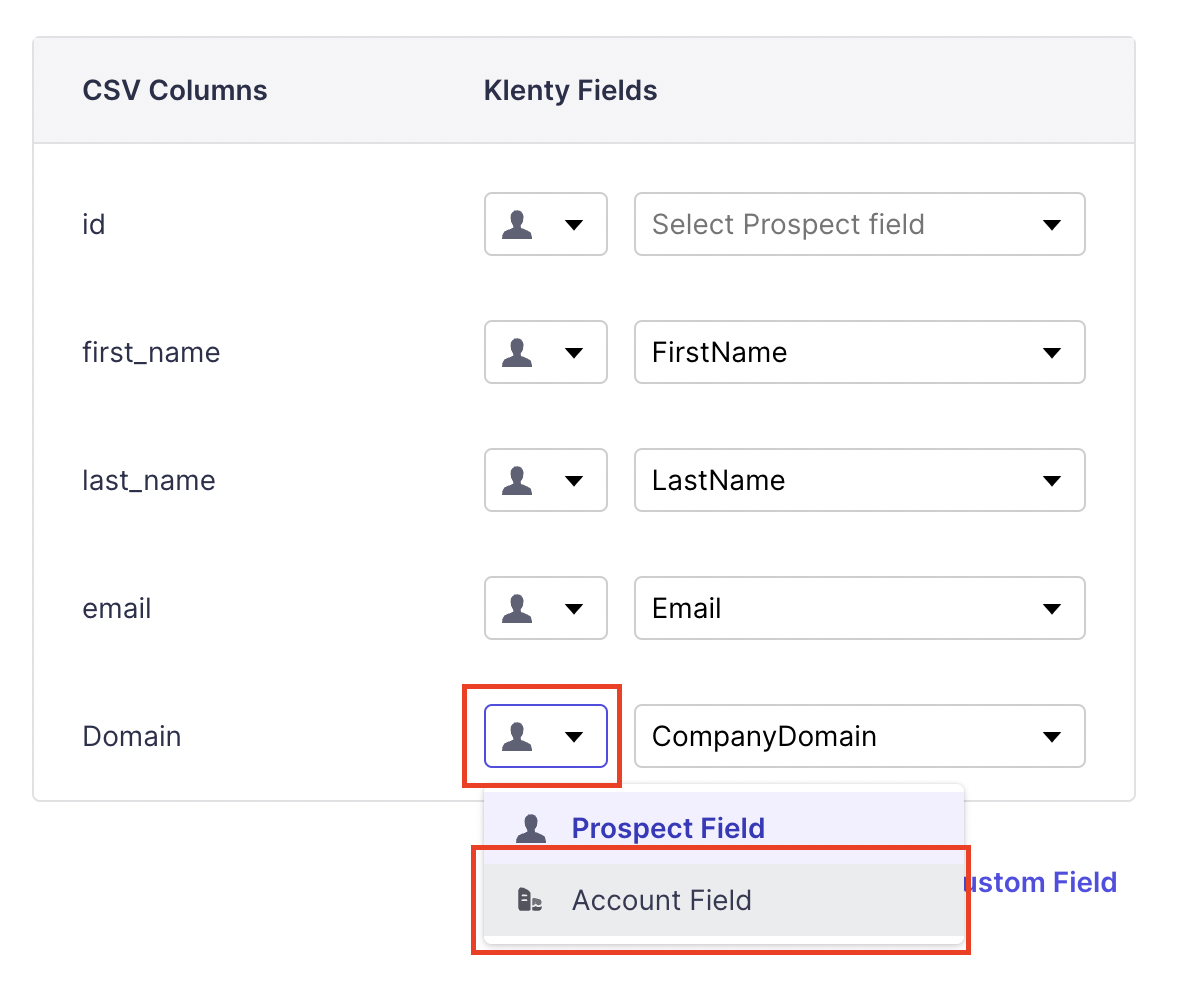
The above option is available for the following import source: CSV, Gsheet, CRM
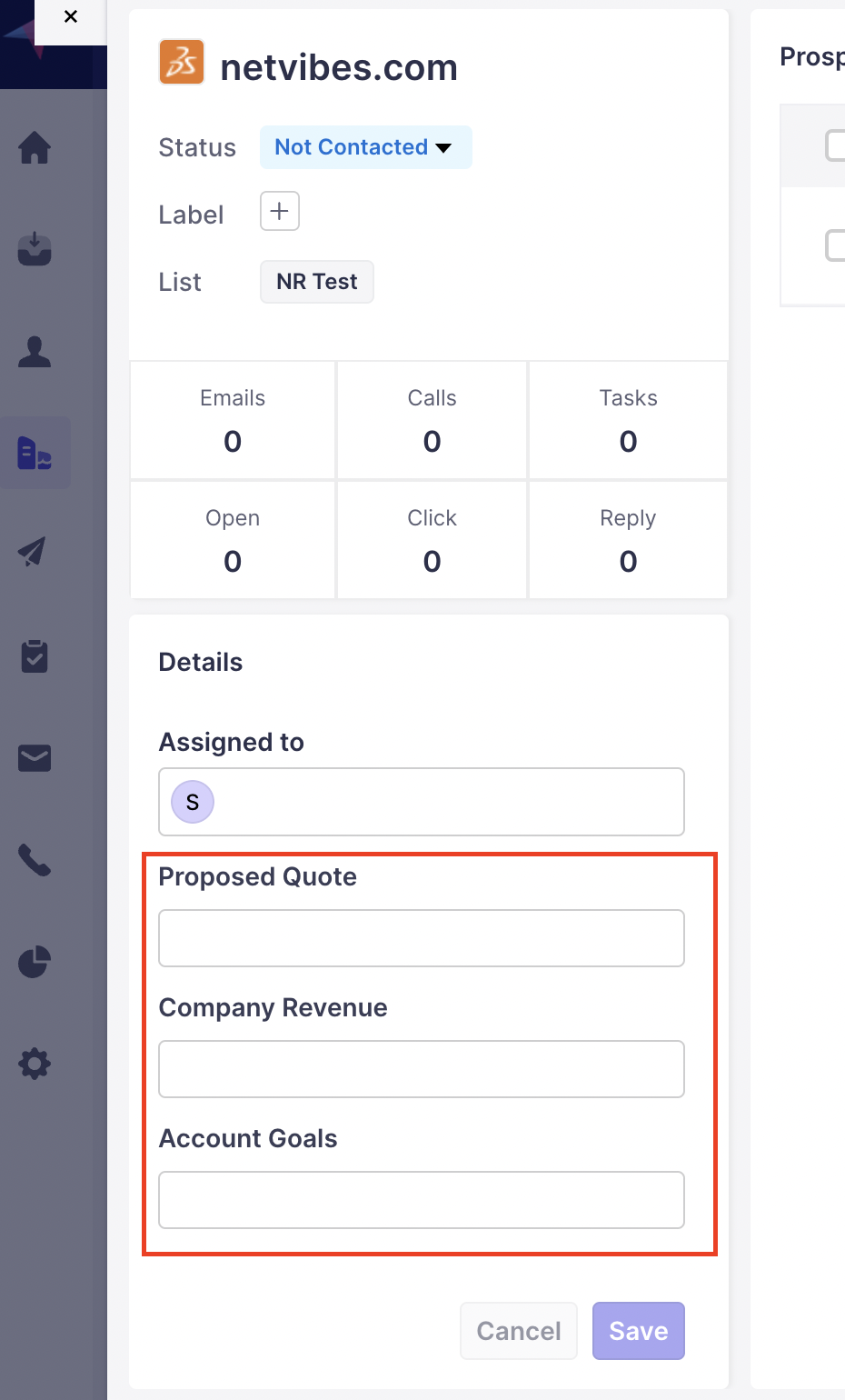
You can also find these fields in the Accounts page, when you click on any existing Accounts
Creating Labels
Labels help you organize the accounts created. Adding Labels to your accounts based on the company type, revenue, etc helps you group them and run a targeted cadence.
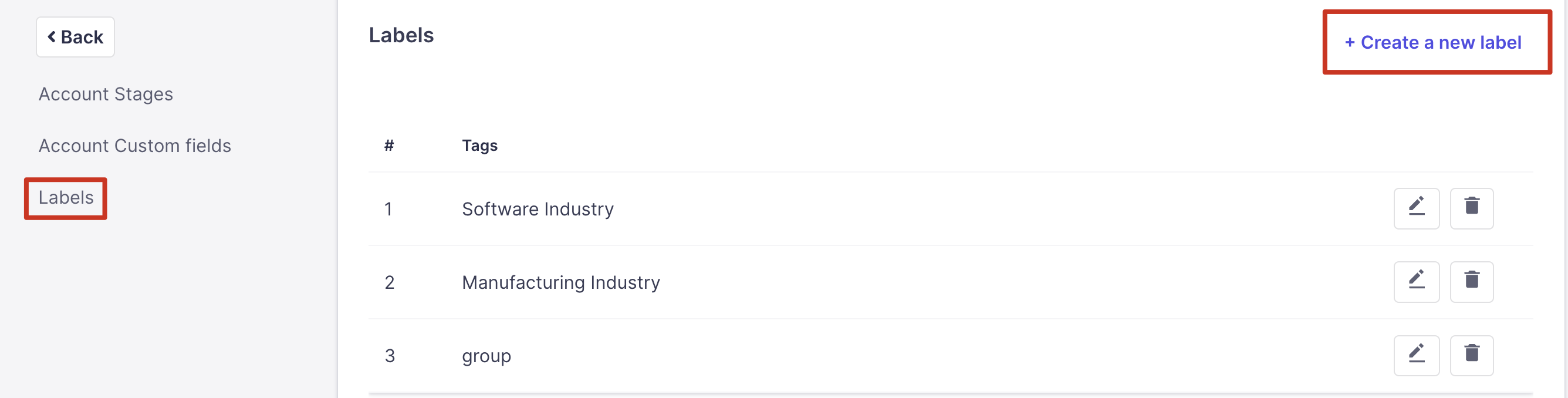
Label can be created from the Settings Page --> Account settings ---> Labels
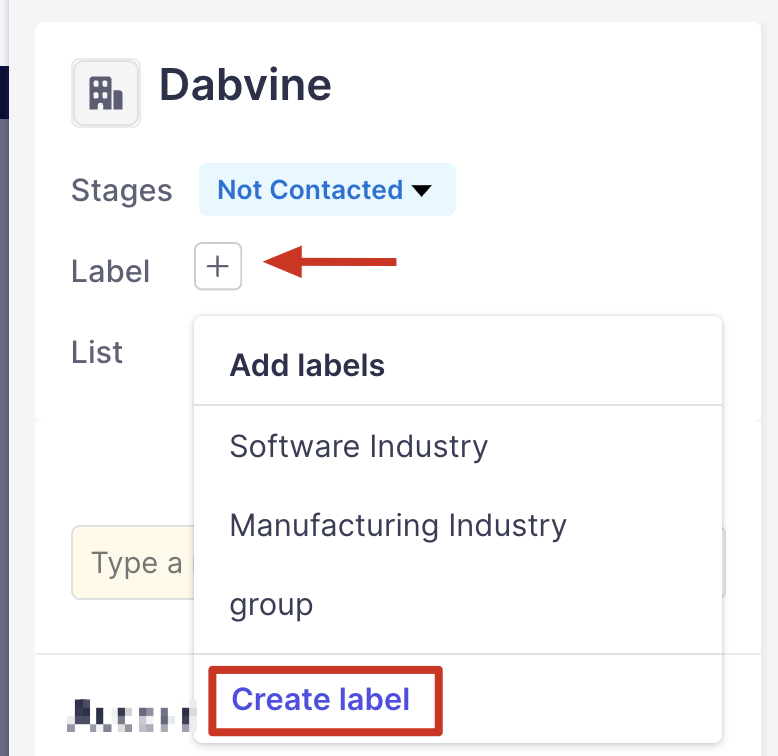
You can also create a new Label from the accounts page while viewing an account
Filtering Accounts based on Labels:
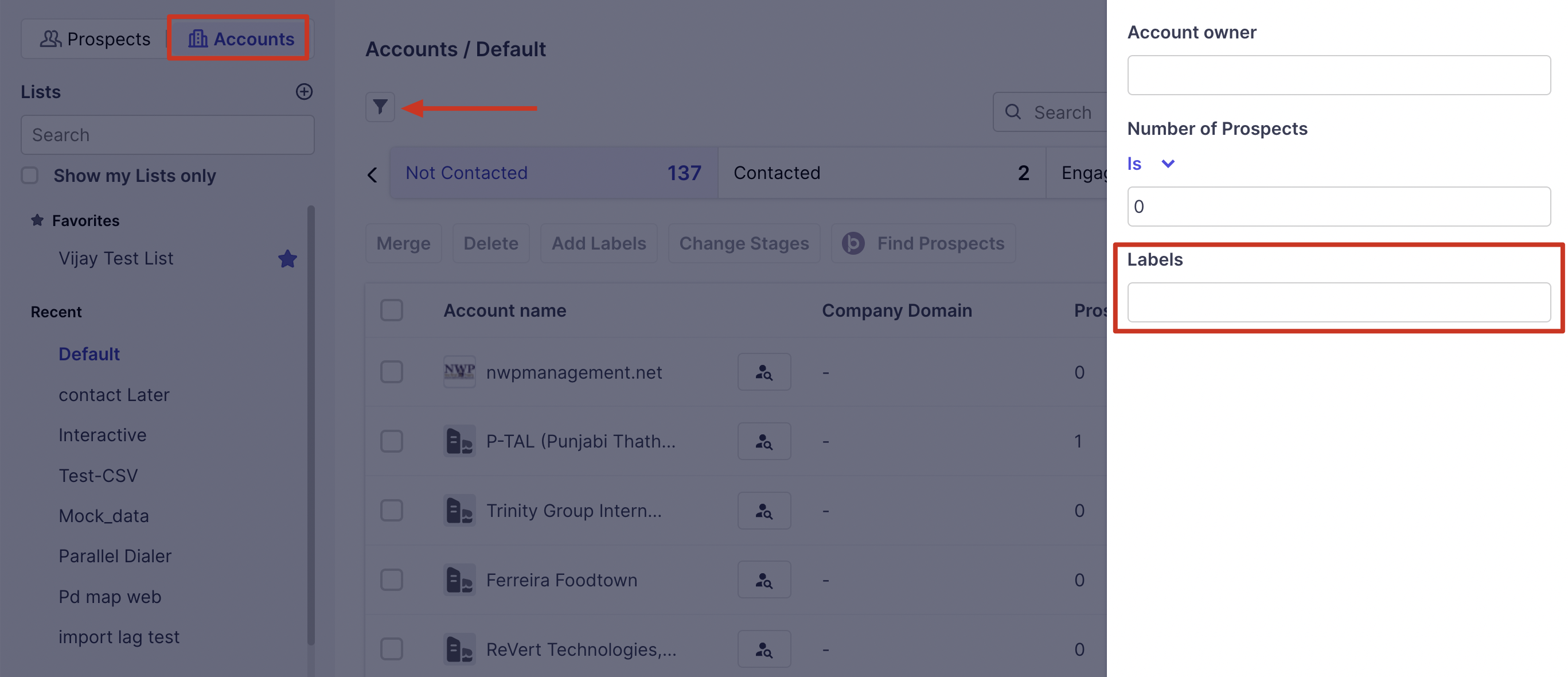
You can add filters from the accounts section by clicking on the funnel icon.